The children coming in
Attendance, ages, arrival and departure times.
Automated nursery rotas
Add attendance and staff availability.
Generate a rota, then review and adjust.
Six weeks free. No card required.

| Staff | Mon | Tue | Wed | Thu | Fri |
|---|---|---|---|---|---|
| Sophie | 08:00–16:00 | 08:00–16:00 | 08:00–16:00 | 09:00–17:00 | — |
| Liam | 07:30–15:30 | 09:00–17:00 | 09:00–17:00 | — | 08:00–16:00 |
| Chloe | 09:00–17:00 | — | 08:00–16:00 | 08:00–16:00 | 09:00–17:00 |
| Staff | Shift |
|---|---|
| Sophie | 08:00–16:00 |
| Liam | 07:30–15:30 |
| Chloe | 09:00–17:00 |
Illustrative rota · You review before applying
THE ONE CLICK ROTAS STORY
Hear a story about One Click Rotas in 45 seconds.
Little people. Big imaginations. And one very complicated rota.
Who's in on Monday? Who can work late? What about breaks, and the last-minute changes?
Meet One Click Rotas.
Add when your children are coming in, and when your team can work.
Then, let the generator bring the week together. Attendance, availability, ratios, qualifications, breaks, and contracted hours.
A whole week's draft rota, with names and shifts. Ready for you to review and adjust.
Less time juggling the week. More room for the magic.
A little input.
A whole week ahead.
Child attendance and staff availability.
Let the generator put the week together.
Check the draft. Make it your own.
Nursery rota software, with a lighter workload
Every nursery week has moving parts. One Click Rotas brings them together, so you can spend less of your day filling shifts into a spreadsheet.
Add the information the generator needs. It builds a draft around your nursery’s staffing requirements, ready for you to check and adjust.
A few things you might be wonderingAttendance, ages, arrival and departure times.
Availability, qualifications, holidays and sickness.
Staffing ratios, breaks and contracted hours.
Review shifts and reported issues before applying the draft.
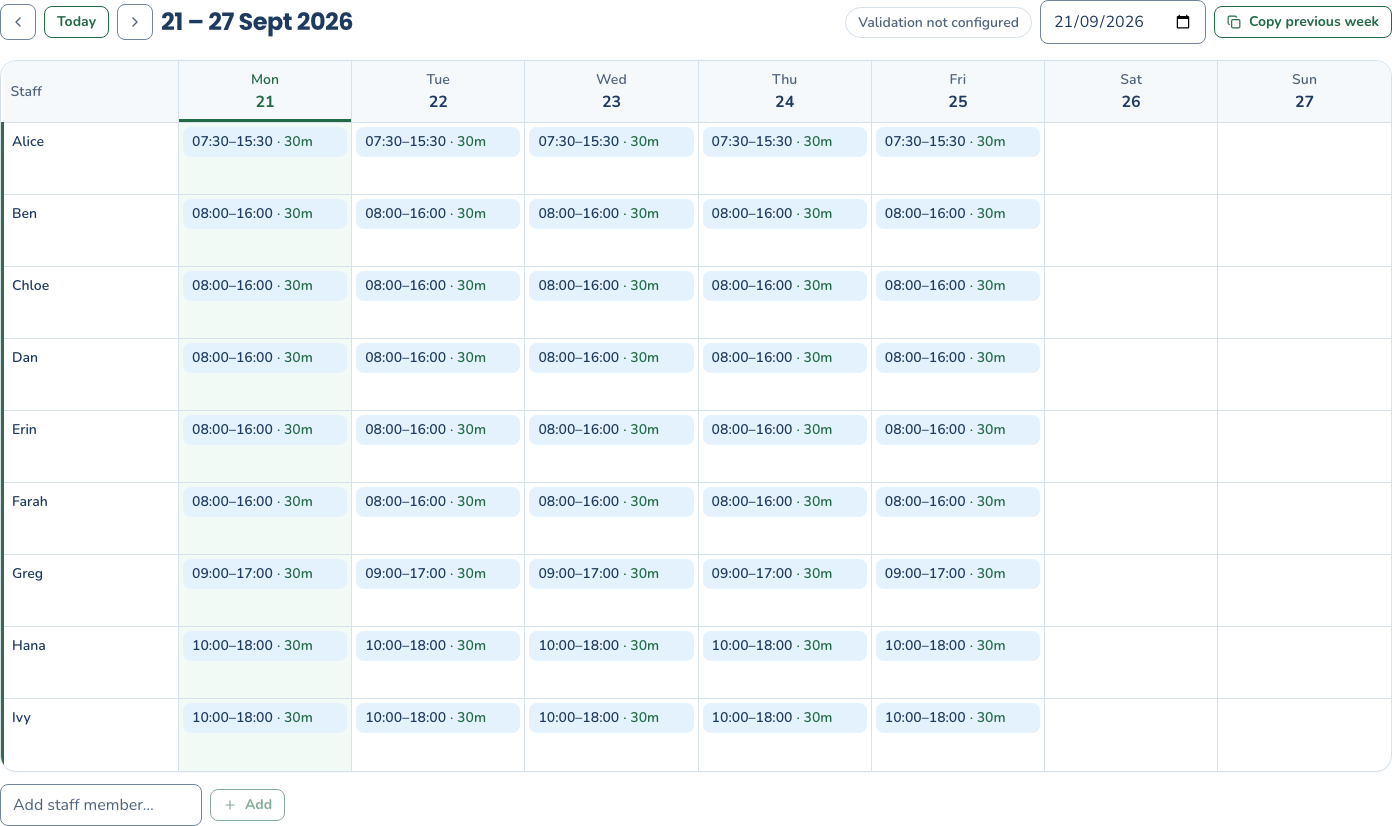
From the first draft to your final rota
See the shifts, check the details and make changes when plans change. Your rota stays editable.
Before you get started
Getting to know One Click Rotas.
Yes — your first six weeks are free, with no card required. Create an account and verify your email to use the rota tools. Your private workspace starts empty, with guidance to add your staff and children.
Start with child attendance and arrival and departure times, then add staff availability and relevant staff details. The generator considers staffing requirements including ratios, qualifications, age, breaks and contracted hours.
You start with an empty workspace. Add staff, complete their profiles, then add children and their weekly attendance. Your changes are saved to your account so you can return from another device.
Yes. Review the generated result and any issues before applying it to the rota. You can edit shifts and update availability when plans change, then generate again when needed.
No. The result depends on the information and settings you provide. A nursery manager should review staffing, qualifications, breaks and any reported issues before putting the rota into use.
Staff, children, attendance and rotas are saved privately to your account in our cloud database. Generating or validating a rota sends the relevant information to the rota service. Logging out keeps your saved work.
You can use your workspace without accepting optional advertising cookies. See our cookies and privacy notice for details.